Outbound, aimed

Write to the right company the week something changed.

Sagitta finds companies that fit, notices what just changed at each one, and drafts a short email that says so. You approve it. It handles the replies and books the meeting.

Opening to a small group first. Your mailboxes, your AI model, and by default a person’s yes on every email.

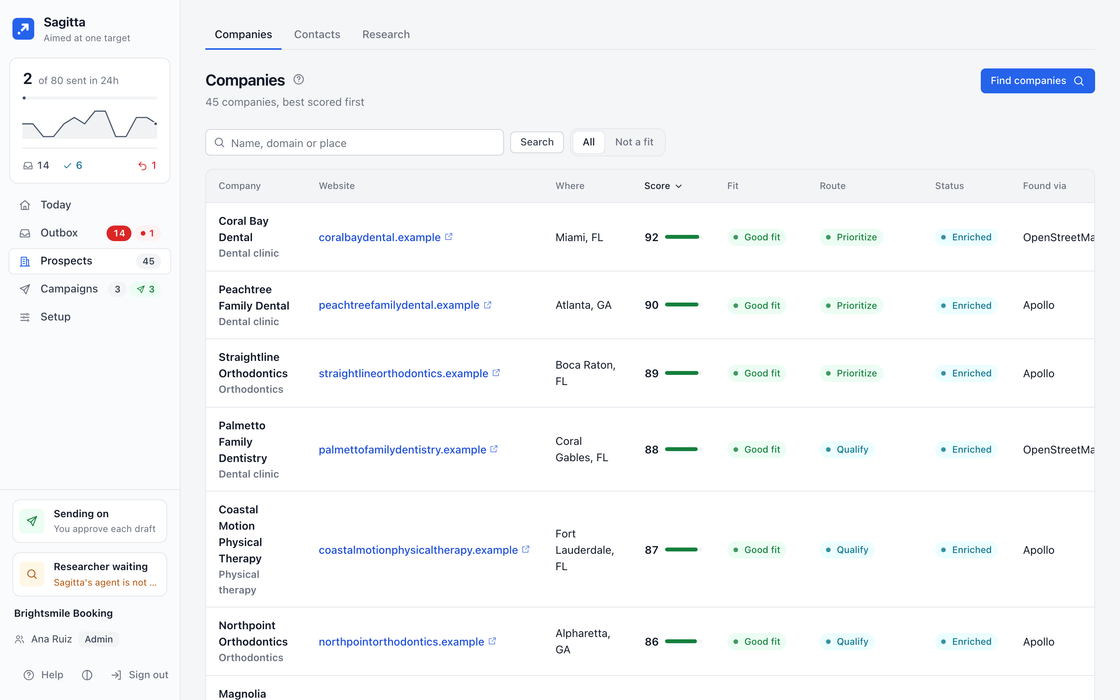
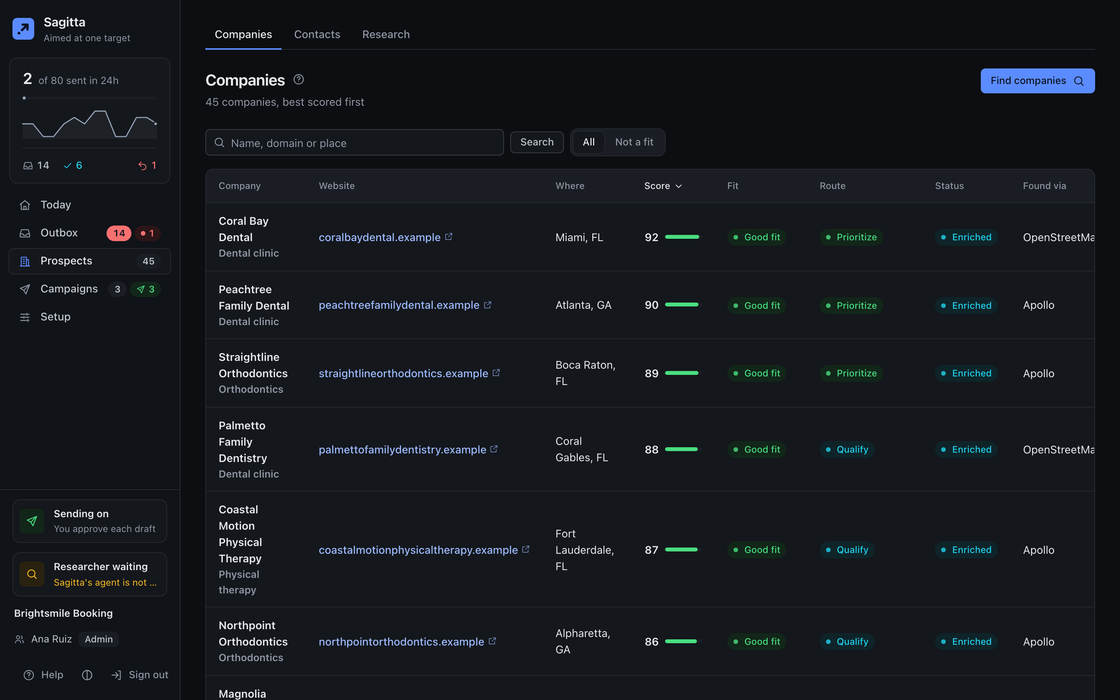
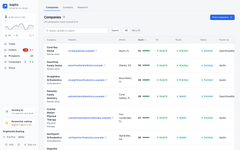
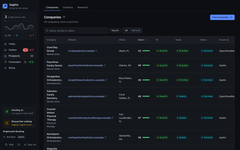
The Companies list: each company with its fit score, verdict, route, status and the source it came from.The Companies list: each company with its fit score, verdict, route, status and the source it came from.
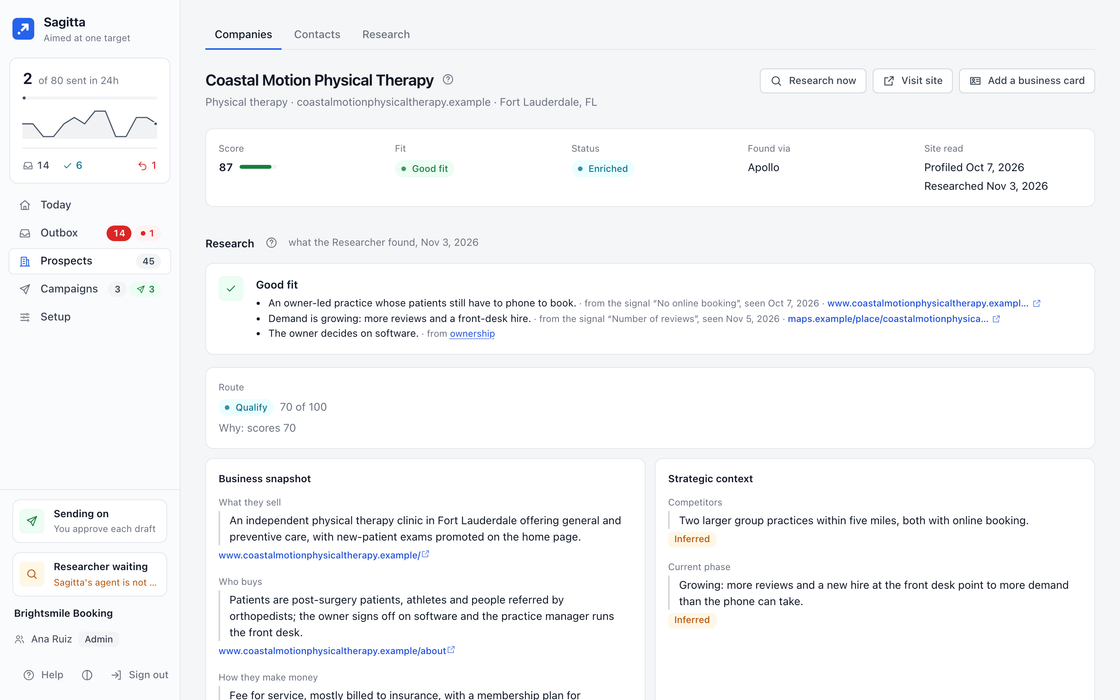
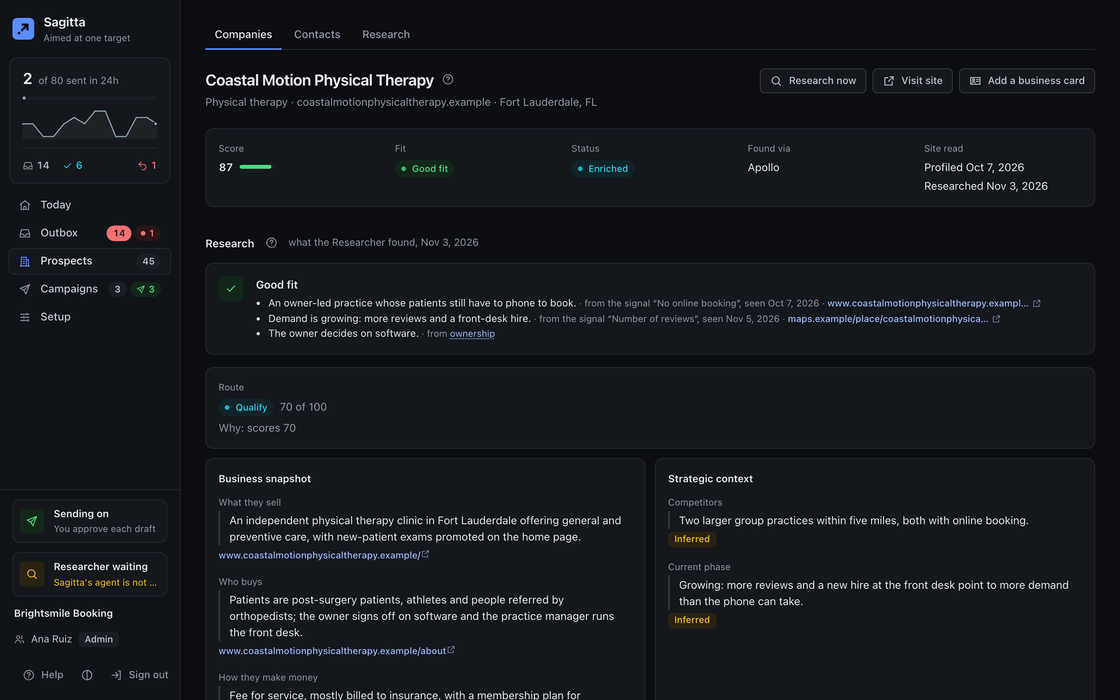
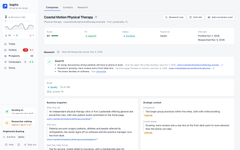
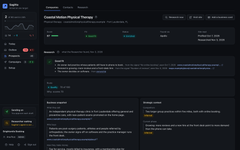
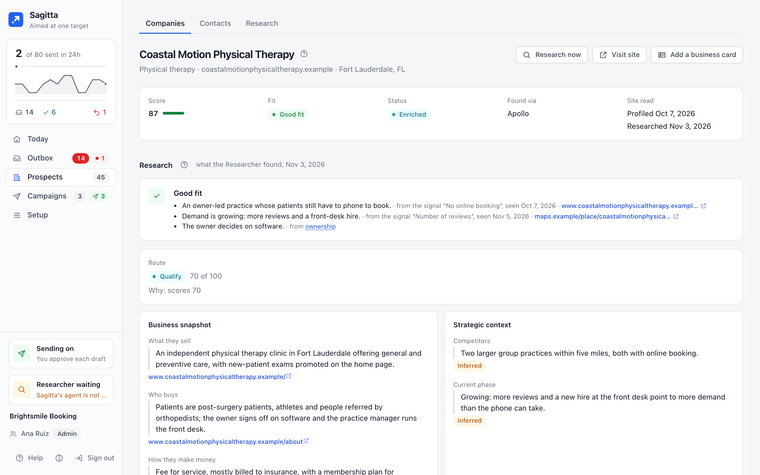
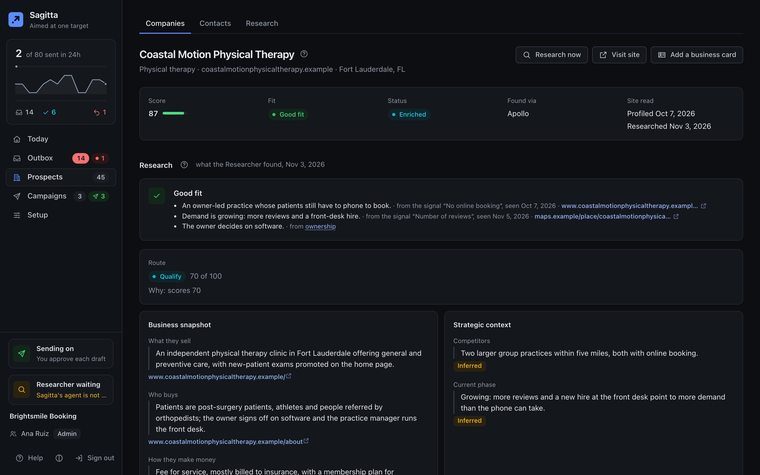
A company dossier: the fit verdict with its reasons, the business snapshot, and the source behind each line.A company dossier: the fit verdict with its reasons, the business snapshot, and the source behind each line.
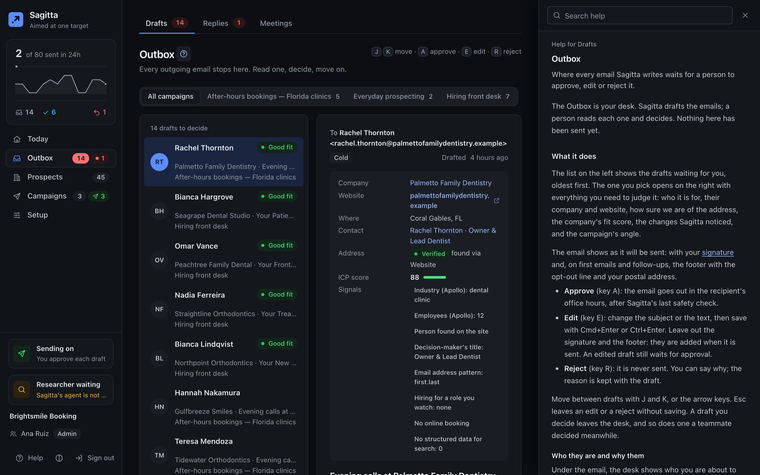
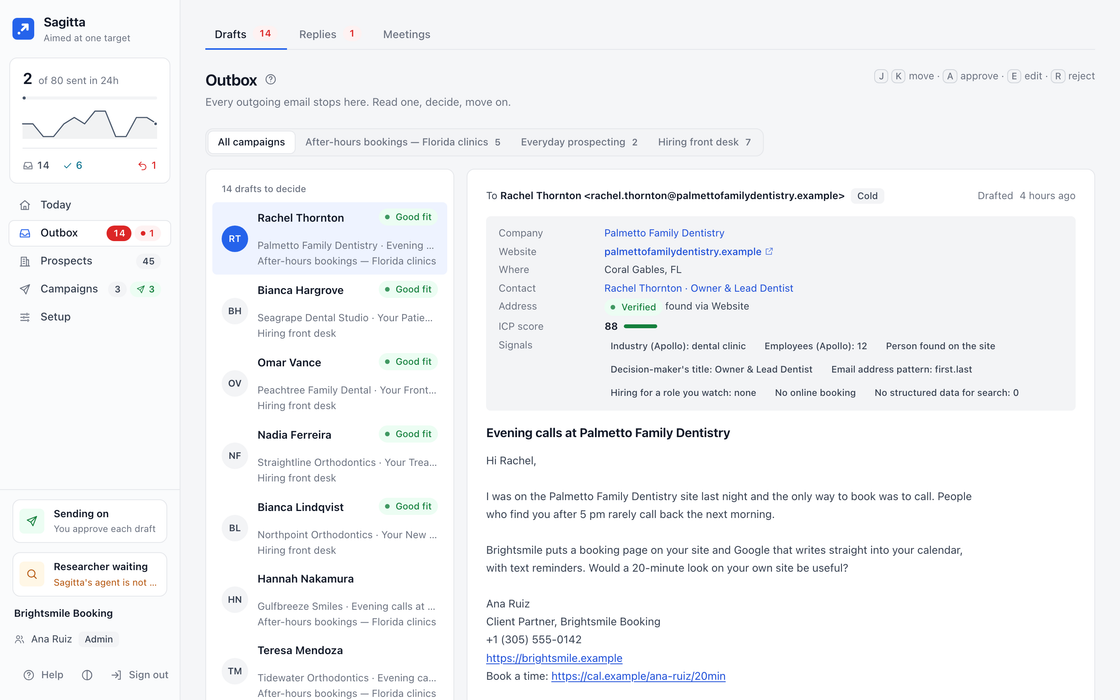
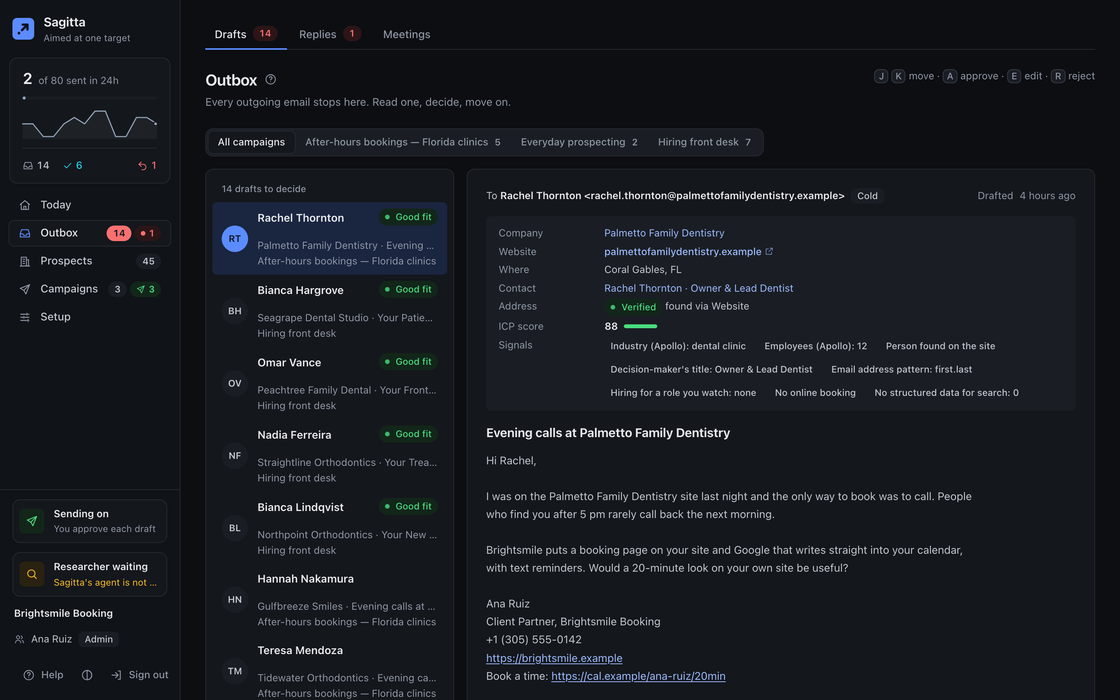
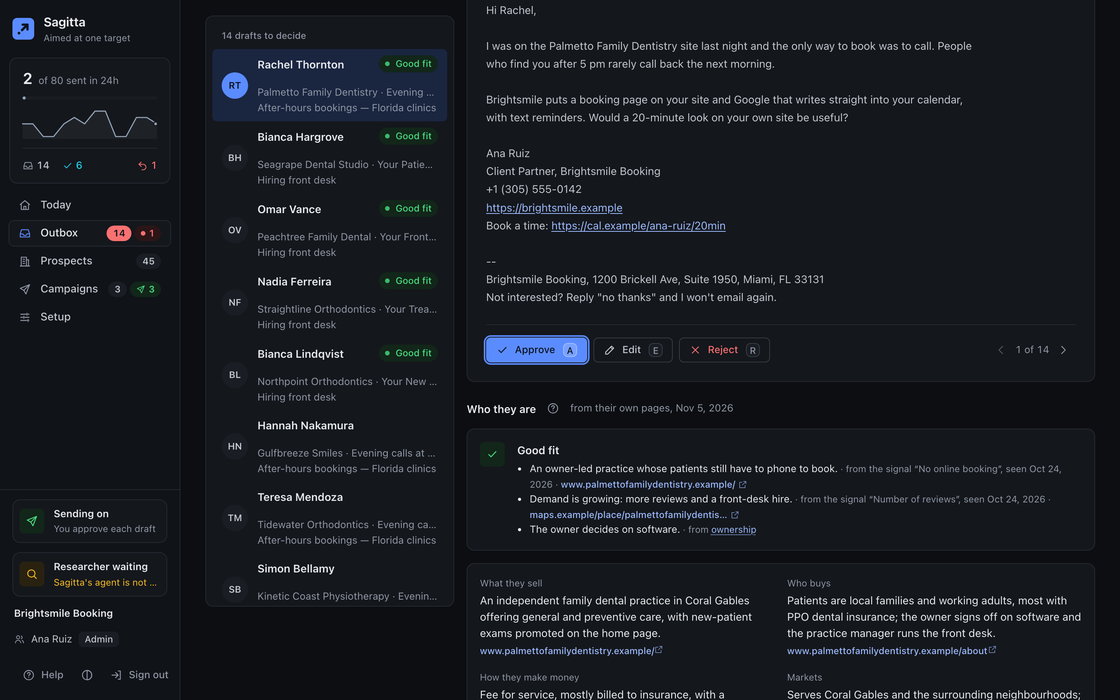
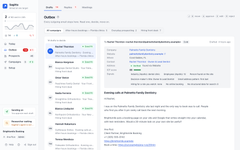
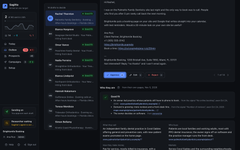
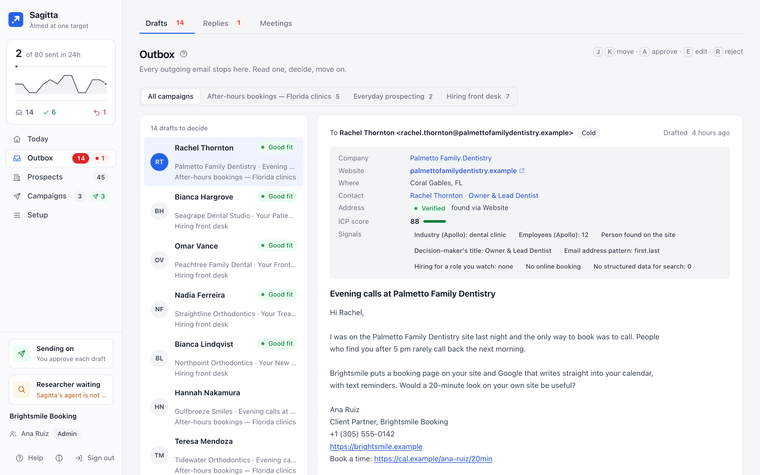
The Outbox desk: a draft exactly as it will be sent, beside who the person is and why they were chosen.The Outbox desk: a draft exactly as it will be sent, beside who the person is and why they were chosen.
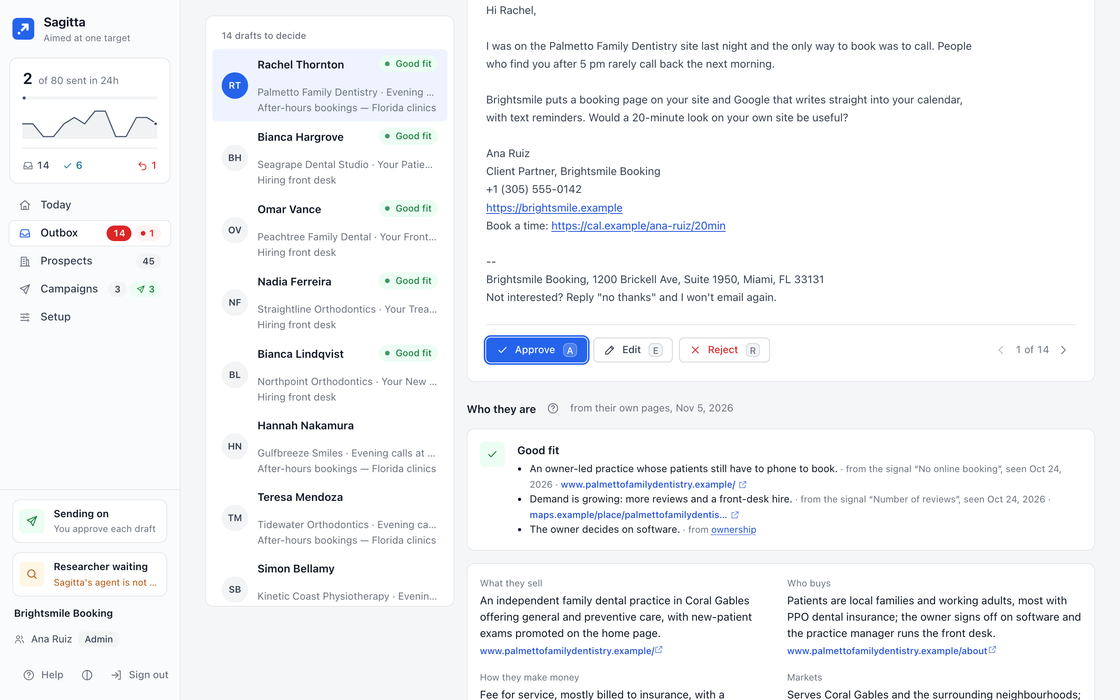
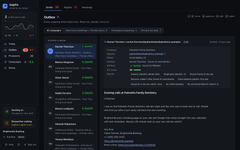
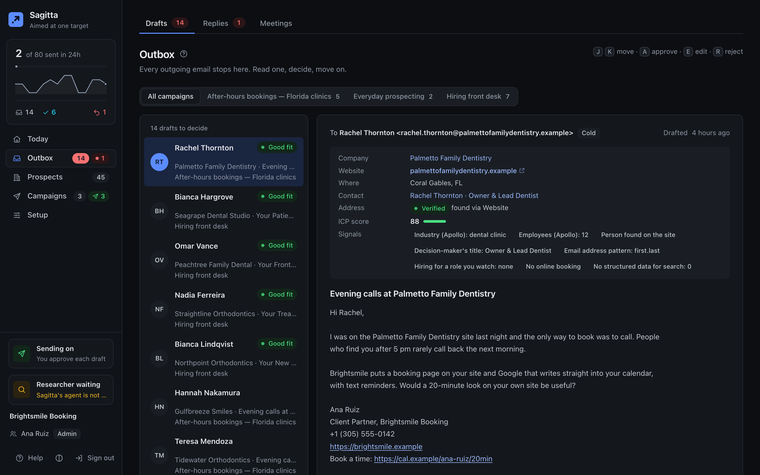
The Outbox desk with the Approve, Edit and Reject bar and its keyboard hint.The Outbox desk with the Approve, Edit and Reject bar and its keyboard hint.
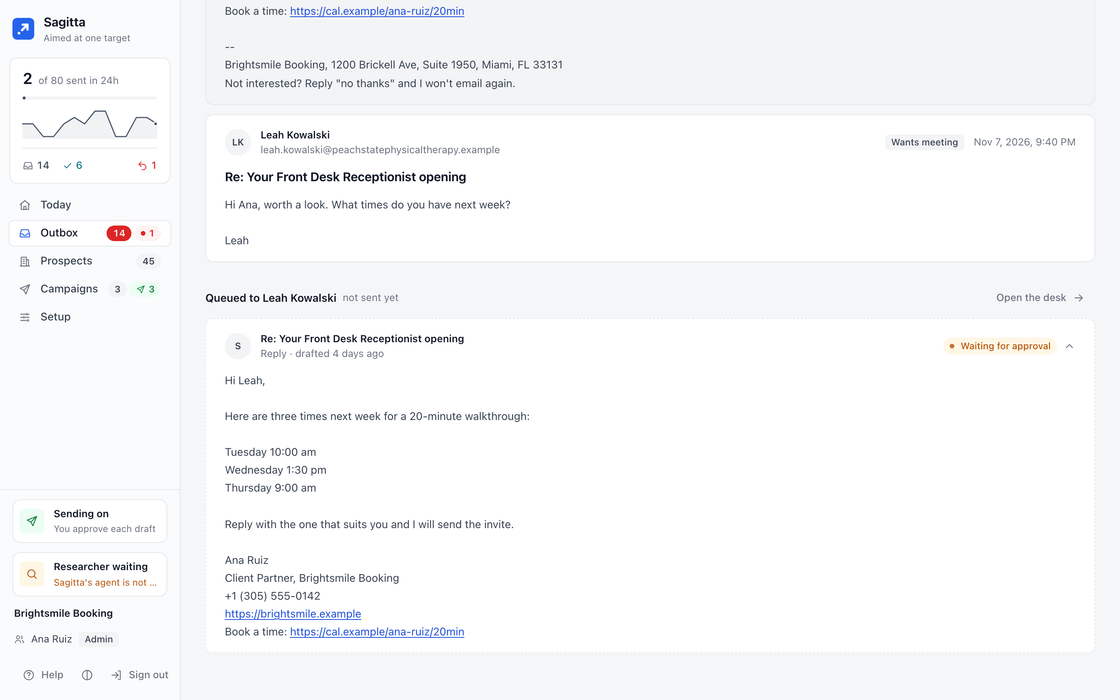
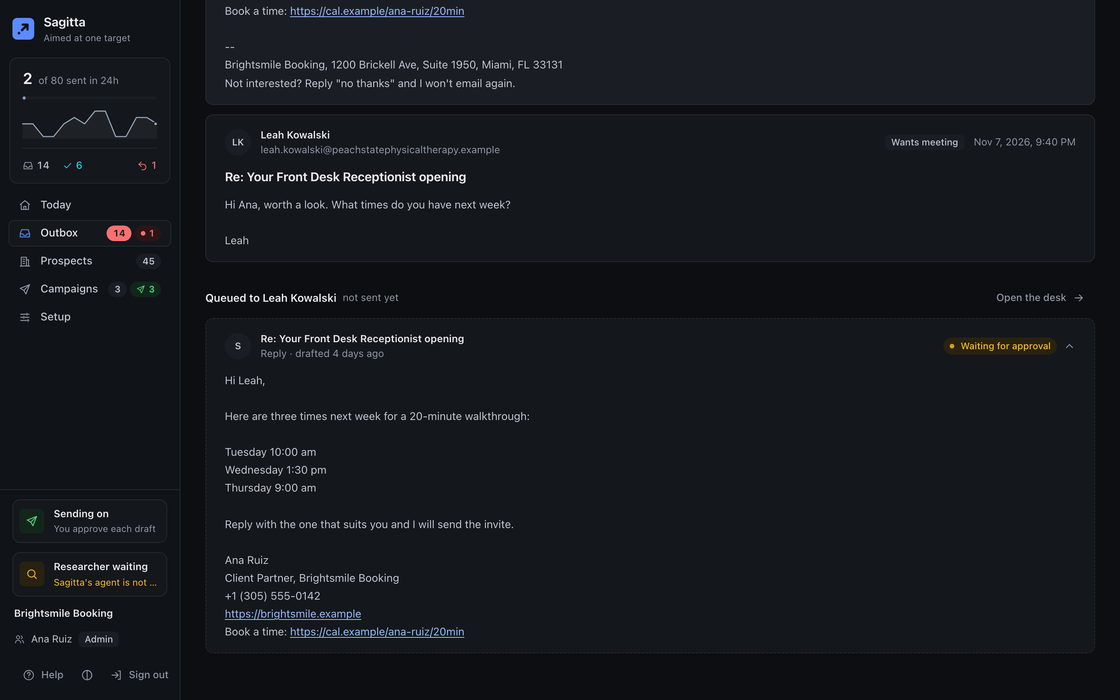
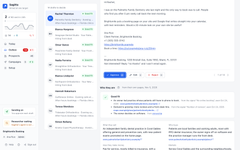
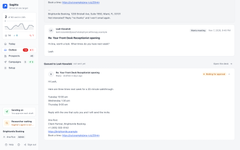
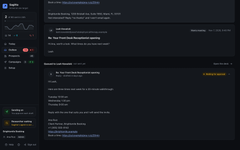
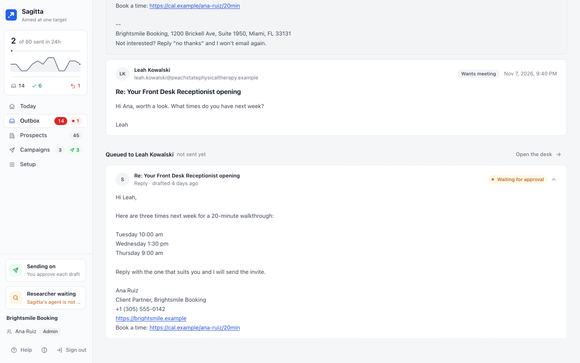
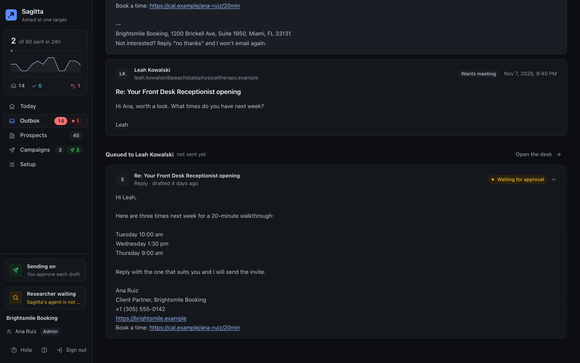
A conversation: a reply asking to meet, and the answer Sagitta drafted waiting for approval.A conversation: a reply asking to meet, and the answer Sagitta drafted waiting for approval.
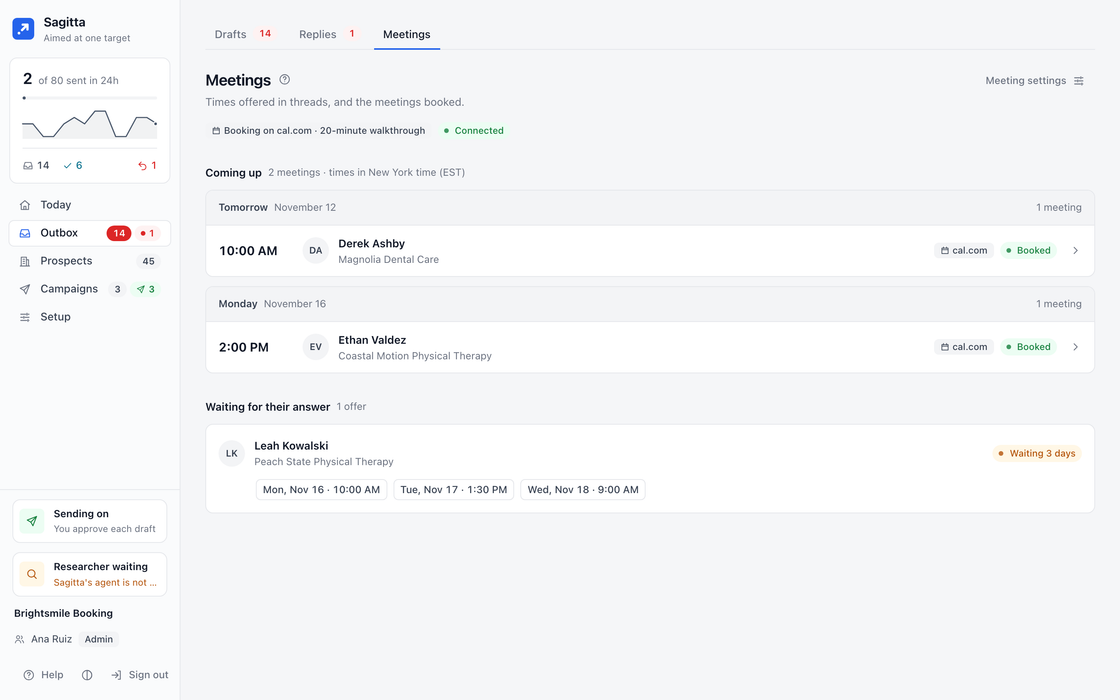
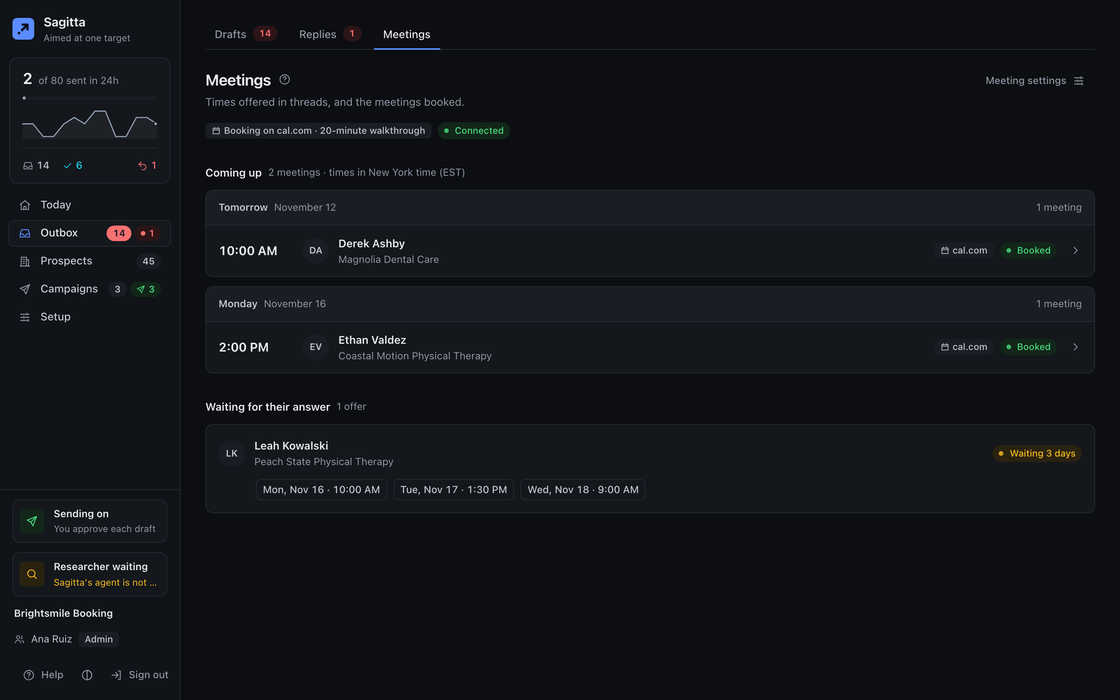
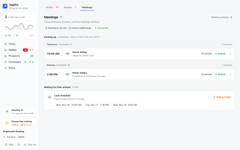
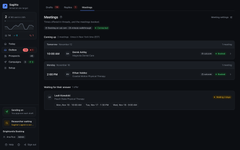
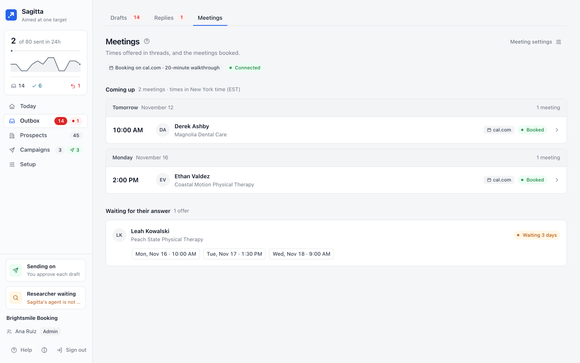
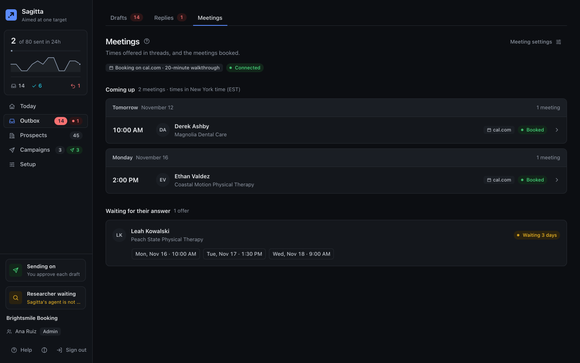
The Meetings page: meetings booked from replies, with their times and who is coming.The Meetings page: meetings booked from replies, with their times and who is coming.

Screens show example data.

Not a list. A reason to write.

Most outbound starts from a list and hopes. Sagitta watches the companies that fit you and writes when something changes: online booking switched on, a role they are hiring for, ads started, a rebuilt site, a new agency in the footer. The first line of the email says what it saw, and where.

  • Added online bookingRoswell Creek Dentalseen 2 days ago · roswellcreekdental.example/book
  • Role opened: front desk receptionistCoral Bay Dentalseen 2 days ago · coralbaydental.example/careers
  • Started Google AdsPeachtree Family Dentalseen yesterday · peachtreefamilydental.example
  • Rebuilt their siteSweetgum Orthodonticsseen 6 days ago · sweetgumorthodontics.example

One loop, from a company to a meeting.

  1. Find

    Companies that fit your target, from maps, the web and your data providers, read and scored as they come.

  2. Research

    A dossier for the bigger accounts: what they sell, who buys, what changed, whether they fit. Every line has its source.

  3. Write

    A short, plain email written for that company, leading with one change and one reason. No merge tags.

  4. Approve

    You read the whole email and decide: approve, edit or reject. The keyboard does it.

  5. Reply

    Replies come back as conversations. Sagitta answers what it can and hands you the rest. An opt-out stops everything, at once.

  6. Book

    Someone wants to meet, so Sagitta offers times from your calendar and books the one they pick.

Nothing goes out that nobody read.

Every draft waits on the desk with everything you need to judge it: who it is for, why them, the change it leads with, and the email exactly as it will be sent. Approved email goes out in the recipient’s office hours. Approval is the default; autopilot is your choice.

  1. Why themThe campaign, the rule, the signal and where it was seen.
  2. The email, as it will be sentSignature and footer included. The gate checks it again before it goes.
  3. Approve, edit or rejectA, E or R. Autopilot is there when you want it, still through the gate.

AapproveEeditRreject

The Outbox desk: a draft open with the person, why they were chosen, the change it leads with, and the email as it will be sent.The Outbox desk: a draft open with the person, why they were chosen, the change it leads with, and the email as it will be sent.
A company dossier: the fit verdict with its reasons, the business snapshot, and a source link beside each line.A company dossier: the fit verdict with its reasons, the business snapshot, and a source link beside each line.

Every fact has a source and a date.

For the accounts worth it, the Researcher reads the company’s site, news, job board and, for US public companies, their filings. It writes what it found with a link to where, judges the fit against your target, and says why. What it could not find says so, and what it inferred is marked as inferred.

Every signal on every company carries the day and the page it came from, so the email’s first line can say what it saw, and where.

Replies, handled. Meetings, booked.

Sagitta reads every reply and sorts it: interested, wants a meeting, not now, an objection, out of office, a bounce, an opt-out. It drafts an answer for you to approve, hands you what needs a person, stops everything on an opt-out, and books the meeting on your calendar when someone picks a time.

A conversation: the prospect asks to meet, and Sagitta's drafted answer with three times waits for approval.A conversation: the prospect asks to meet, and Sagitta's drafted answer with three times waits for approval.
A reply that wants a meeting, with the answer drafted.
The Meetings page: meetings booked from replies, coming up this week.The Meetings page: meetings booked from replies, coming up this week.
Booked on your calendar, with the invitation sent.

The rules that never bend.

  1. A person approves by default.

    Autopilot is a choice you make, and some drafts always wait for a person.

  2. Every email passes the gate.

    Unfilled tags, banned phrases, length, links, the opt-out line and your postal address, the do-not-contact list. Twice: when it is written and just before it goes.

  3. An opt-out stops everything.

    An opt-out in a reply, like "no thanks", stops all contact with that person. Only a person can undo it.

  4. The AI has no tools.

    It drafts and judges. Plain code sends, and only what passed.

  5. Office hours, caps, quiet hours.

    It sends in the recipient's working day, a few minutes apart, under each mailbox's daily cap.

  6. Every fact is an observation,

    with its source and its date. Guesses are marked as guesses.

How Sagitta keeps you safe

Your mailboxes. Your model. Your data.

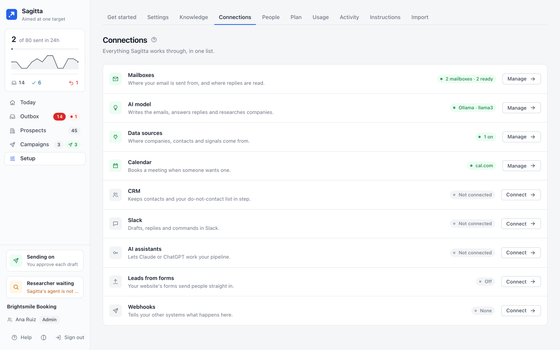
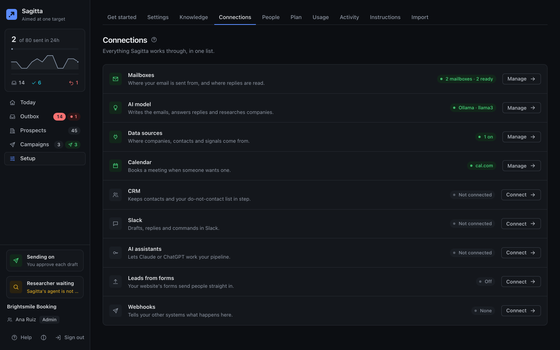
Sagitta sends from your own mailboxes and thinks with your own AI model key, so your reputation and your spend stay yours. Everything else plugs in the same way: your data providers, your calendar, your CRM, Slack, and your AI assistant.

Connections: two mailboxes ready to send, the AI model, the data sources and a connected calendar.Connections: two mailboxes ready to send, the AI model, the data sources and a connected calendar.

Mailboxes

  • GoogleConnect with Google, or an address and app password
  • MicrosoftConnect with Microsoft, or an address and password
  • Yahoo, AOL, iCloudAddress and app password; servers found for you
  • Zoho, FastmailAddress and password; servers found for you
  • Any IMAP/SMTP mailboxAddress, password and server names
  • TrulyInboxYour accountWarmup placement read into readiness

AI model

  • AnthropicYour accountYour API key
  • OpenAIYour accountYour API key
  • OpenAI-compatible serverYour accountYour key and https address
  • OllamaYour accountYour own server, or Ollama Cloud with a key

Data

  • OpenStreetMapFreeMap search by place, no key
  • The company’s own siteFreeRead first for signals and people
  • Job boardsFreeGreenhouse, Lever, Ashby, Workable or the careers page
  • News, status pages, SEC filingsFreeRead by the Researcher
  • ApolloYour accountAPI key; size, funding, roles, people
  • Serper, DataForSEOYour accountGoogle Maps search by place
  • HunterYour accountPeople and addresses at a domain
  • TinyFishYour accountWeb search for company sites
  • PreclearedYour accountIs a cold email allowed in their country

Calendar and CRM

  • Google CalendarSign in; adds the event with the invite
  • Microsoft OutlookSign in; adds the event with the invite
  • cal.comSign in or API key; books your event type
  • CalendlySign in or token; books your event type
  • HubSpotDo-not-contact pulled every 15 minutes; notes back if you want
  • PipedriveSame, with OAuth or an API token
  • GoHighLevelSame, for one sub-account

Team and systems

  • SlackAdd to Slack, or your own app over Socket Mode
  • Claude, ChatGPTMCP: sign in from the assistant
  • Claude CodeMCP: sign in, or a key
  • CursorMCP: a key
  • Webhooks16 events to your HTTPS endpoints, signed
  • Your forms and CRM webhooksLeads in, each with a drafted answer

Names, not logos. Paid sources run on your own account, each within a budget you set.All connections

Approve from Slack. Ask from your assistant.

Sagitta comes to where your team already works, with the same rules as the app.

Slack

  • The drafts digest arrives with Approve and Reject.
  • Replies that need you, booked meetings and new leads come as alerts.
  • status, why <company>, pause sending, and a business card photo becomes a contact.
  • An approval from Slack still passes every check. Messages never carry what a prospect wrote.
Slack

AI assistants, over MCP

  • Connect Claude, ChatGPT, Claude Code or Cursor.
  • It reads your pipeline, researches a company, starts a campaign on a cohort, approves a draft.
  • An admin grants Reads, Decides or Admin, and every write lands in Activity under its name.
  • It can never send directly, change settings or see a secret. A held draft needs a person.
AI assistants

The rest of the toolkit.

Everything around the loop, built in and governed by the same rules.

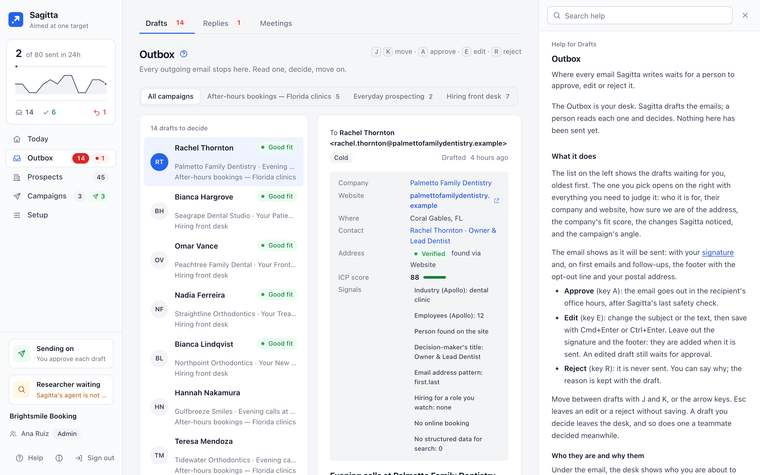
The Outbox desk with Help open beside it: what the page does and what Approve, Edit and Reject each do.The Outbox desk with Help open beside it: what the page does and what Approve, Edit and Reject each do.

Every page explains itself.

Press ? on any page and its help opens beside it, so the page you are working on stays in view. Topics say what the page does, who can change it, and show an example.

  • On every pageThe ? beside each page’s title, or the ? key anywhere, opens that page’s help.
  • Down to one settingIn Settings, a ? beside a section or a single field opens the help for just that.
  • It follows youMove to another page with the panel open and it shows that page’s help.
  • Search it allFind any topic from the panel; links between topics open in place, with Back.

Who it is for.

Questions.

All questions

Will it send anything without me?

Not by default: a person approves every email. If you turn on autopilot, drafts go without a click, but each still passes the gate when it is written and again before it goes, and some always wait for a person, such as anything the gate held.

Whose mailboxes and AI does it use?

Yours. It sends from the mailboxes you connect (Google, Microsoft or any IMAP/SMTP mailbox) and calls the AI model with your own key: Anthropic, OpenAI, an OpenAI-compatible server or Ollama.

Where do the companies come from?

From the free map search (OpenStreetMap) and each company’s own website, and from the data providers you connect, such as Apollo, Serper or Hunter, on your account and within a budget you set. It never buys a list.

Can my AI assistant use it?

Yes, over MCP. Claude, ChatGPT, Claude Code and Cursor can read your pipeline, research a company, start a campaign or approve a draft, with the access an admin grants. An assistant can never send directly, change settings or see a secret.

Can I run it myself?

No. Sagitta is hosted by 2am.tech. You connect your own mailboxes, AI model and data providers to it.

Aim your outbound.

We are opening Sagitta to a small group first. Tell us who you sell to.

How do you do outbound today? optional

A person reads every request. No newsletter, no spam.

Request early access

We are opening Sagitta to a small group first. Tell us who you sell to.

How do you do outbound today? optional

A person reads every request. No newsletter, no spam.