Safety

What it checks, what it never does.

For the people who have to say yes to it: the checks on every email, the limits on the AI, and how your mailboxes, keys and data are kept.

Approval and the gate

A person approves every email by default. Autopilot is a setting you turn on; it skips the click, not the checks. The gate is plain code, no model, and it runs on every email, first emails, follow-ups and answers alike, when it is written and again just before it is sent.

The gate refuses an email with

  • an empty subject or body, or a subject over 90 characters
  • unfilled merge tags such as {{first_name}} or [First Name]
  • HTML, more links than allowed, or more words than its step allows
  • a banned phrase, from the built-in list or your own
  • a claim marked unverified
  • a recipient who opted out or is on the do-not-contact list
  • an address that is a guess, invalid or unverified
  • no opt-out line or postal address on a first email or follow-up

Some drafts always wait for a person, even on autopilot

  • anything the gate held, such as a link to a site that is neither yours nor theirs
  • text that quotes instructions, like “ignore previous” or “system prompt”
  • the first answer to a new lead from a form
  • the first answer after a person undoes an opt-out
  • answers in a conversation a person took over
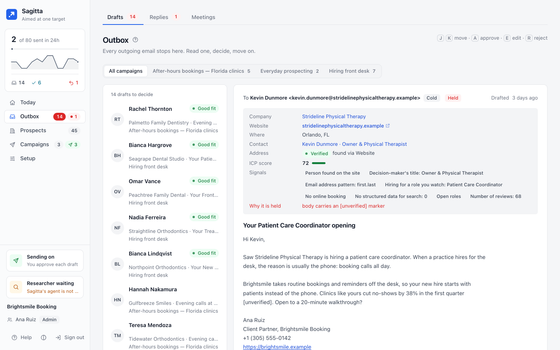
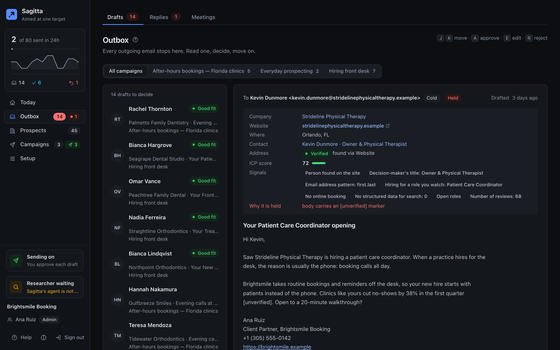
A draft held by the gate, with the reason in red beside it.A draft held by the gate, with the reason in red beside it.
Screens show example data.

The AI has no tools

The model is asked only for judgment: to draft, to read a reply, to research. It has no tools and cannot send, browse or change anything; plain code does the rest, and only what passed. Text from web pages and replies is marked as untrusted before the model sees it. You use your own model key, and your workspace has a daily limit on model calls.

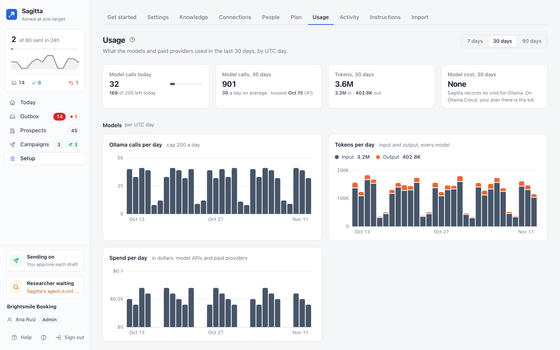
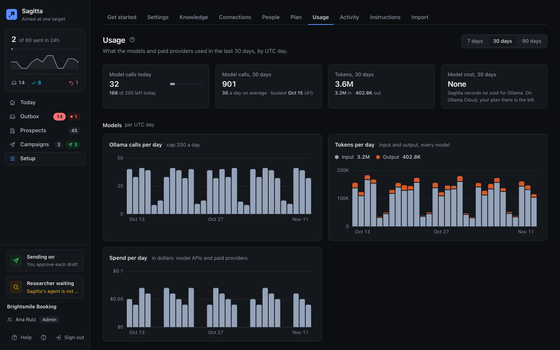
Usage: model calls and cost per day, and the daily limit.Usage: model calls and cost per day, and the daily limit.
Screens show example data.

Opt-outs and do-not-contact

Replies are checked for opt-outs by rules before any model reads them, in English, Spanish, French, German and Italian, including requests to delete personal data. An opt-out stops all contact with that person at once, and only a person can undo it; one that came with a request to delete data cannot be undone in the app. Your do-not-contact list takes addresses and whole domains, and your CRM’s list is pulled in; with a CRM connected, nothing is sent until its list is fresh.

Your mailboxes’ reputation

A new mailbox starts at 10 cold emails a day and adds 5 a day up to its cap. It is ready to send cold email only when its domain’s mail settings check out (SPF, DKIM, DMARC), it is on no blocklist and its bounces are low. Email goes out in each recipient’s working hours, a few minutes apart, never in a burst. Too many bounces pause sending by themselves, and one switch on Today pauses everything.

Your keys and your data

Keys and tokens you connect are kept encrypted, with a key for each workspace, and are never shown again or written to a log. Your model key is sent only to the provider it was checked with. People sign in with Google, Microsoft or a one-time email code; there are no passwords to steal. Roles keep people to what they should do: Admin, Decides and Reads only. Admins who sign in with an email code add a second factor (a passkey or an authenticator app) before managing people or connections. Every decision, by a person or by Sagitta, is logged in Activity.

Hosting

Sagitta is hosted and run by 2am.tech; there is no self-hosted version. Sagitta never deletes, moves or labels mail in your mailbox, and never changes or deletes records in your CRM.

What we collect on this site and why is in the privacy policy.

Aim your outbound.

We are opening Sagitta to a small group first. Tell us who you sell to.

Request early access

Request early access

We are opening Sagitta to a small group first. Tell us who you sell to.

How do you do outbound today? optional

A person reads every request. No newsletter, no spam.